
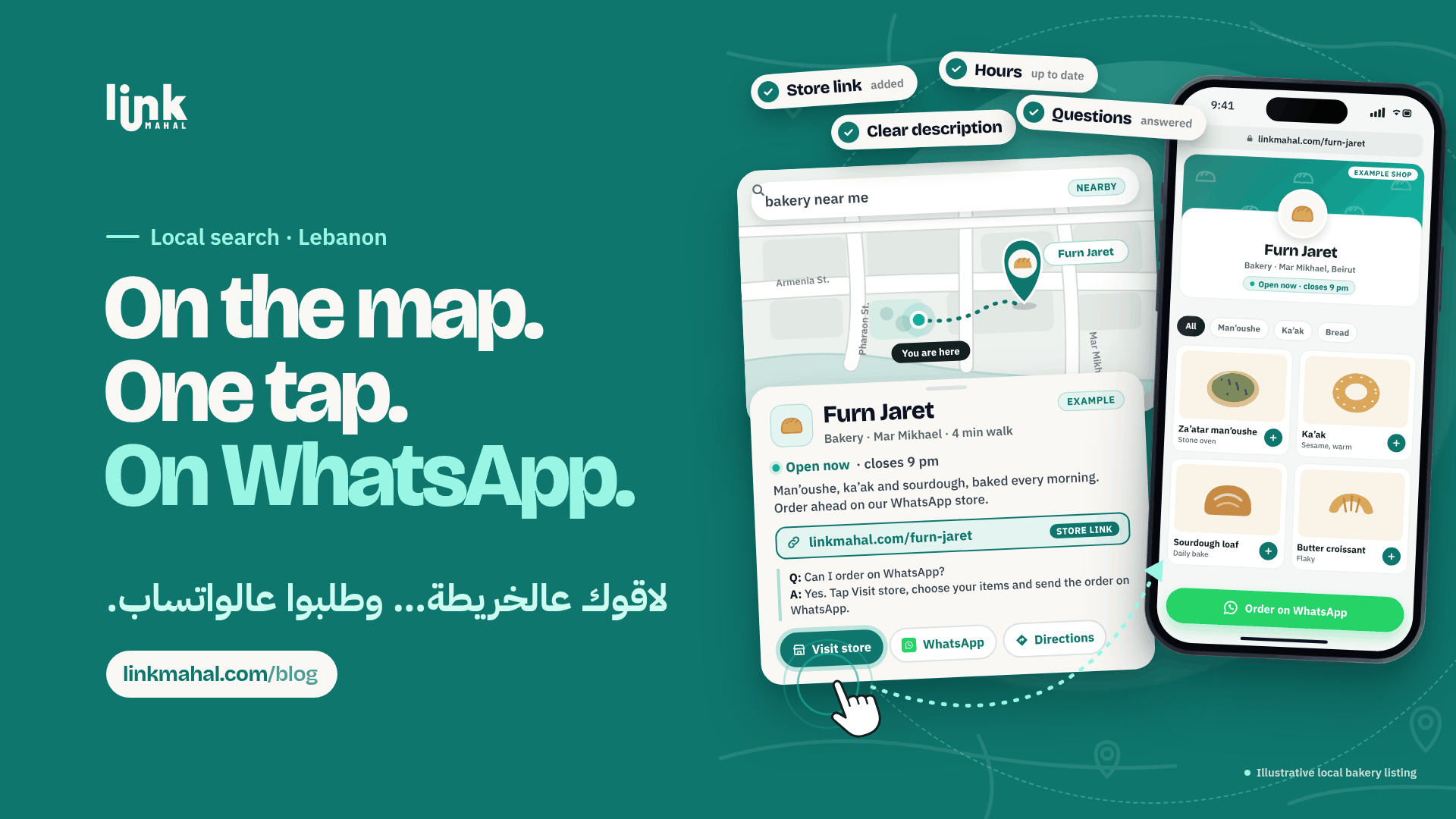
When someone nearby searches Google for a shop like yours, your Google Business Profile is often the first thing they see. If that profile points straight to your WhatsApp store, a curious searcher can become an order in a couple of taps. This Google Business WhatsApp store Lebanon guide covers the practical basics: add your store link, write a clear description, keep your hours current and answer shoppers' questions.
What a Google Business Profile Does for a WhatsApp Store
A Google Business Profile is the panel that shows your shop's name, hours, contact details and website link on Google Search and Google Maps. For a shop that takes orders on WhatsApp, its main job is simple: give people who find you on Google a clear, direct way to reach your store.
Claim Your Profile and Add Your Store Link
Start with the basics, then make sure the profile leads to your store:
- Claim and verify your profile: search for your shop on Google Business Profile and follow Google's verification steps.
- Fill in the essentials: your shop's name, area, phone number and opening hours, exactly as customers know them.
- Add your WhatsApp store link: put your store link in the website field so a tap takes shoppers straight to your products and the WhatsApp order button.
Write a Clear Business Description
Your description should tell a nearby shopper in two or three short sentences what you sell, which area you serve and that ordering happens on WhatsApp:
- Name your main products in the plain words customers use when they search.
- Mention WhatsApp ordering so shoppers know what happens after they tap your link.
- Pick the right primary category that best describes your shop.
Hypothetical example: "Handmade soaps and natural skincare. Browse our range and order directly on WhatsApp through our store link."
Keep Your Hours Current
Nothing frustrates a shopper more than messaging a shop that the profile says is open, only to get no reply. Update your opening hours whenever they change, and add special hours for holidays so your profile always matches when you actually answer messages.
Answer Shoppers' Questions
People often ask questions on your profile before they message you. Answer them clearly and point people to your WhatsApp store when they are ready to order:
- Cover the common questions: what you stock, when you are open and how ordering on WhatsApp works.
- Keep answers short: one or two sentences, then your store link.
When someone leaves a review, a short, polite reply is enough to show the shop is active.
Keep Your Details the Same Everywhere
Use the exact same shop name, area and phone number on Google, in your WhatsApp store and anywhere else you are listed. Consistent details make it easier for shoppers to recognise your shop and avoid confusion about which number to message.
Send Profile Visitors Straight to Your Store
A Link Mahal store gives your Google Business Profile a single link to share, with your products in one place and orders arriving straight in WhatsApp, no marketplace in the middle. You can see how it works on our sell online in Lebanon page.
Ready to give your Google profile a store to link to? Register now on Link Mahal.