
When a customer orders from your shop on WhatsApp, a well-chosen bundle or one small add-on can help them get everything they need in a single order. Done right, it comes across as helpful advice, not a hard push. This WhatsApp store upsell bundles Lebanon guide covers the practical basics: building ready-made sets of items that go together, choosing add-ons that complete the main item, offering them once in chat and keeping your bundles tidy over time.
What Bundles and Add-Ons Mean for a WhatsApp Store
A bundle is a ready-made set of items that belong together, listed under one clear name. An add-on is a single small item that completes something the customer has already chosen. Both make ordering easier: instead of building a set item by item in chat, the customer picks one option and is done.
Build Bundles From Items That Go Together
The best bundles are the ones customers would put together anyway. A few simple rules:
- Group items that naturally match: look at which products often appear in the same order and turn that group into a set.
- Give each bundle a clear name: a short, friendly name makes it easy to ask for in chat.
- List exactly what is inside: write every item in the set so there are no surprises.
- Keep sets small: two to four items are easier to understand than a long list.
Choose Small Add-Ons That Complete the Main Item
A good add-on answers a question the customer may not have asked yet: "What goes with this?" Pick one small item that clearly fits the main product, such as a matching piece, a refill or a spare part. Suggest only one add-on per order, and make sure it is in stock before you mention it.
Offer Once, Politely, and Never Push
The tone of your message matters more than the offer itself. Here is a short script you can adapt:
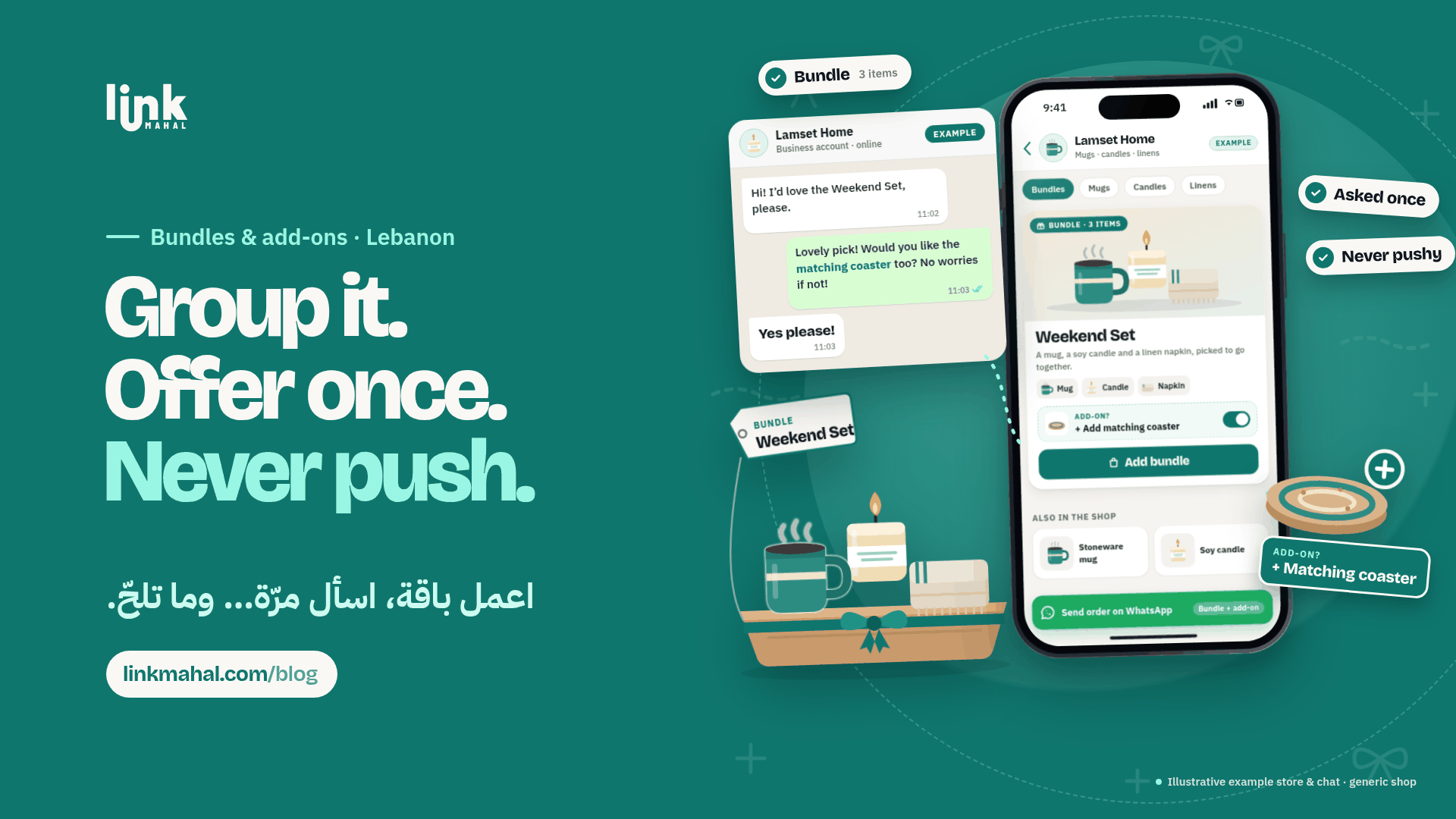
"Lovely choice! Would you like the matching coaster with it too? No worries if not."
- Ask once: if the customer says no or does not reply to that part, drop it.
- Keep it relevant: only suggest items that fit what they already picked.
- Keep it short: one line is enough; a long pitch sounds pushy.
Use Bundles to Make Order Intake Simpler
Bundles also make your own work in chat easier:
- Fewer mix-ups: one named set replaces several separate items, so orders are clearer.
- Quicker replies: you can confirm a bundle in one short message instead of listing each item.
- Easier stock checks: knowing which items belong to each set helps you spot when one of them runs low.
A Hypothetical Bundle Example
Imagine a small home-goods shop. It could create a "Weekend Set" with a stoneware mug, a soy candle and a linen napkin, and keep a matching coaster as an optional add-on. In chat, the exchange might look like this:
Customer: "Hi! I'd love the Weekend Set, please."
Shop: "Lovely pick! Would you like the matching coaster too? No worries if not."
The bundle is clear, the add-on fits the set, and the offer is made once.
Review Your Bundles Every Few Weeks
Good bundles are tested, not guessed. A few simple habits help:
- Note what goes together: when several orders combine the same items, turn them into a named set.
- Retire weak bundles: if a set is rarely picked after a few weeks, swap one item or remove it.
- Keep add-ons small and relevant: a simple item that completes the main product is easier to say yes to than a big extra.
A Link Mahal WhatsApp store keeps your products and stock in one place, with orders arriving straight in WhatsApp.
Ready to set up your own store? Register now on Link Mahal.